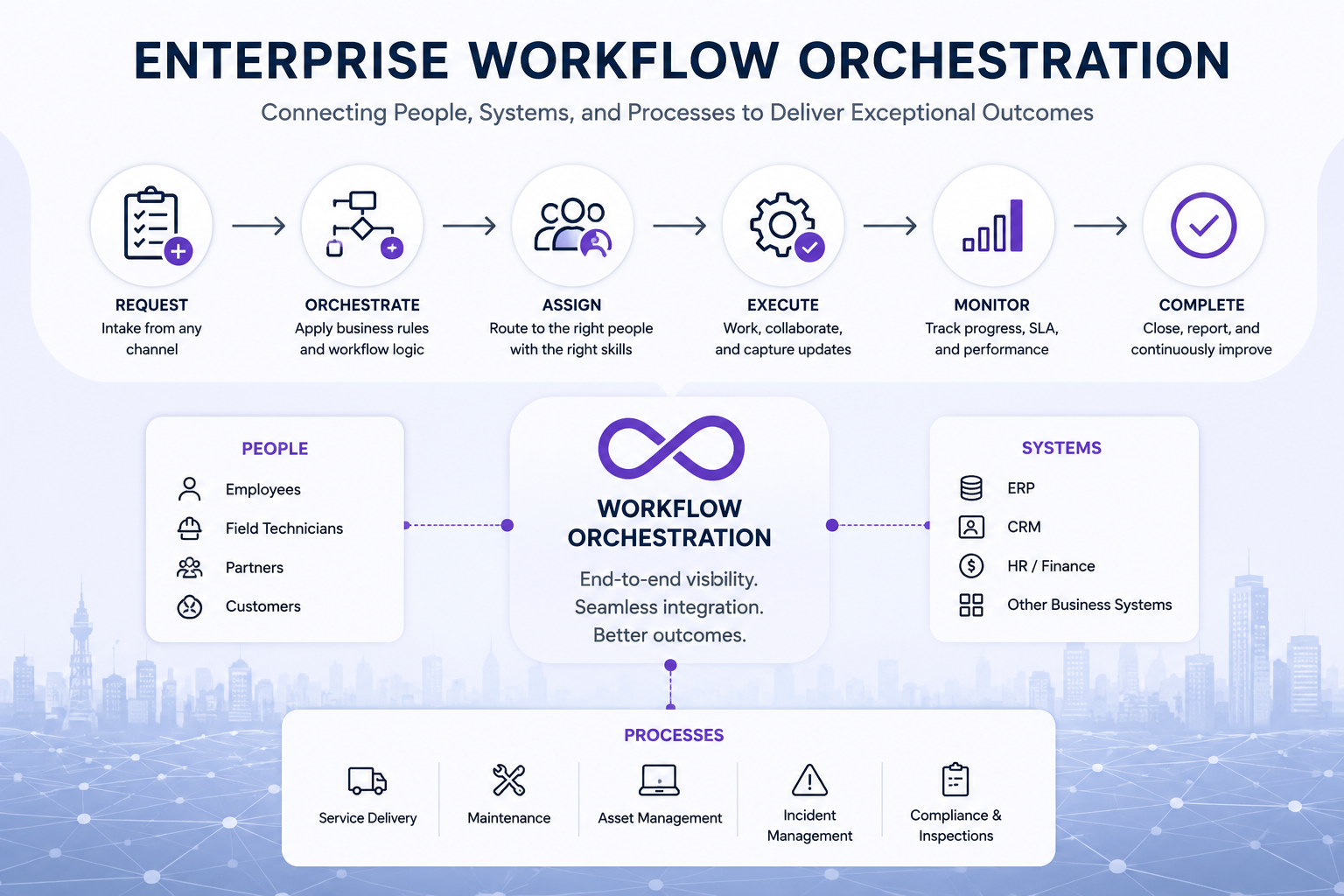
Modern enterprises depend on multiple departments, systems, teams, and technologies to deliver services effectively. However, many organizations still rely on disconnected applications, manual approvals, spreadsheets, emails, and fragmented processes.
Enterprise workflow orchestration connects these moving parts into coordinated, end-to-end workflows. It helps organizations automate work, improve visibility, maintain compliance, and manage complex operations across departments and systems.
What Is Enterprise Workflow Orchestration?
Enterprise workflow orchestration is the coordination, automation, and management of business processes across multiple teams, departments, systems, and operational environments.
It ensures that work moves through the correct sequence of activities, approvals, assignments, and system interactions from initiation through completion.
For example, when a customer submits a service request, an orchestrated workflow can automatically:
- Create a ticket or work order
- Determine the required service priority
- Assign the most suitable employee or team
- Schedule the work
- Notify the customer
- Reserve the required assets or materials
- Monitor service-level agreement performance
- Capture field updates and evidence
- Trigger approvals or escalations
- Generate reports when the work is completed
Instead of employees manually coordinating each step, the workflow manages the process according to predefined business rules.
Why Do Enterprises Need Workflow Orchestration?
Operational complexity increases as organizations grow. Different departments may use separate systems, follow different processes, and maintain their own sources of information.
This often creates operational challenges such as:
- Manual task assignment
- Duplicate data entry
- Email-based approvals
- Disconnected business systems
- Limited visibility into work progress
- Delayed decision-making
- Missed service-level agreements
- Inconsistent service delivery
- Compliance and audit risks
- Poor customer communication
Enterprise workflow orchestration addresses these issues by connecting processes and ensuring that each activity follows the appropriate operational rules.
Workflow Automation vs Enterprise Workflow Orchestration
Workflow automation and workflow orchestration are related, but they are not the same.
|
Workflow Automation
|
Enterprise Workflow Orchestration
|
|
Automates an individual task or process
|
Coordinates multiple processes from beginning to end
|
|
Often operates within one department
|
Connects multiple departments and teams
|
|
Focuses on reducing repetitive work
|
Focuses on managing complete service delivery
|
|
May operate within one application
|
Connects multiple enterprise systems
|
|
Provides visibility into one activity
|
Provides visibility across the entire process
|
|
Task-centric
|
Process-centric and outcome-focused
|
Workflow automation is therefore one component of enterprise workflow orchestration. Orchestration connects multiple automated activities into a coordinated operational process.
How Does Enterprise Workflow Orchestration Work?
Enterprise workflow orchestration typically begins when an event triggers a business process.
The trigger might be:
- A customer request
- An equipment failure
- A security incident
- A scheduled inspection
- A preventive maintenance requirement
- An employee request
- An alert from a connected system or sensor
Once triggered, the orchestration platform evaluates the available data and applies predefined rules. It can then create tasks, assign resources, communicate with other systems, monitor deadlines, and escalate exceptions.
Throughout the process, managers can monitor progress through operational dashboards and reports.
Key Components of Enterprise Workflow Orchestration
An effective orchestration platform should provide more than basic task management. It should connect the complete operational environment.
Configurable Workflow Design
Organizations should be able to design and modify workflows without requiring lengthy development projects.
Configurable or low-code tools allow teams to define:
- Process stages
- Approval requirements
- Assignment rules
- Escalation conditions
- Notifications
- Required forms and checklists
- Completion criteria
This flexibility allows workflows to evolve as operational requirements change.
Business Rules and Intelligent Routing
Business rules determine how work should move through the organization.
Tasks may be routed based on factors such as:
- Priority
- Location
- Employee skills
- Certifications
- Availability
- Workload
- Customer requirements
- Contractual service levels
This reduces manual coordination and helps organizations assign work to the most appropriate resource.
Enterprise System Integration
Enterprise workflows rarely operate within a single application. An orchestration platform should connect with the systems already used by the organization.
These may include:
- Enterprise resource planning systems
- Customer relationship management platforms
- Human resources systems
- Finance and billing applications
- Asset management systems
- Geographic information systems
- Customer portals
- Internet of Things platforms
- Building management systems
Integration reduces duplicate data entry and ensures that information remains consistent throughout the workflow.
Mobile Workforce Enablement
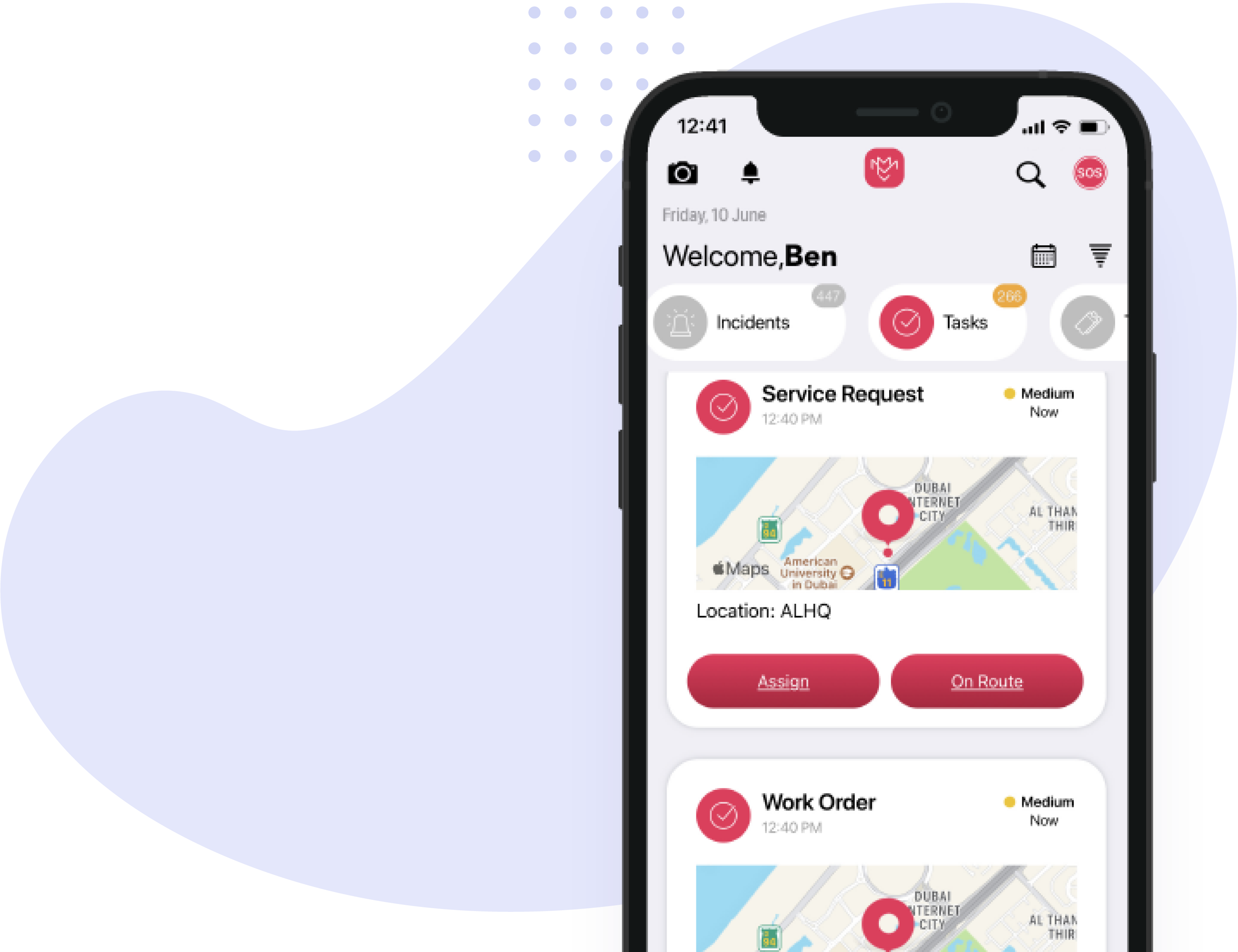
Many enterprise workflows extend beyond the office. Technicians, inspectors, engineers, maintenance teams, security personnel, and other mobile employees require access to real-time operational information.
Mobile tools allow field employees to:
- Receive assignments
- Review job information
- Complete digital forms and checklists
- Capture photos and videos
- Record asset information
- Update work status
- Report incidents
- Communicate with managers and dispatch teams
Field updates can immediately become available to managers and connected departments.
Service-Level Agreement Management
Enterprise workflow orchestration helps organizations monitor service commitments throughout the delivery process.
The platform can track:
- Response deadlines
- Resolution deadlines
- Escalation thresholds
- Customer-specific requirements
- Contractual performance
Alerts and escalations can be triggered before a service-level agreement is breached.
Operational Dashboards and Reporting
Managers need real-time visibility into the status of work across the organization.
Operational dashboards can display:
- Active work orders
- Overdue activities
- Service-level agreement performance
- Workforce utilization
- Asset status
- Incident trends
- Productivity indicators
- Customer service performance
This information helps decision-makers identify bottlenecks and respond before issues affect customers or operations.
Examples of Enterprise Workflow Orchestration
Enterprise workflow orchestration can support many operational environments.
Field Service Operations
A customer request can automatically create a work order, identify the required skills, select an available technician, schedule the visit, monitor the service-level agreement, and notify the customer when the work is completed.
Maintenance Management
An equipment alert can trigger an inspection, create a maintenance task, assign a qualified technician, reserve spare parts, request approval when required, and update the asset history after completion.
Security Operations
A security incident can trigger an alert, notify the control room, dispatch the nearest officer, capture evidence, escalate the incident, and generate a complete audit trail.
Facilities Management
A facilities request can be routed to the appropriate service team, assigned according to location and availability, tracked against contractual service levels, and reported to the customer.
Inspection and Compliance
A scheduled inspection can automatically assign an inspector, present the correct checklist, record findings, create corrective actions, request evidence, and maintain a complete compliance record.
Cross-Department Service Delivery
A single customer request may require coordination between customer service, operations, finance, procurement, field teams, and management. Workflow orchestration ensures that each department completes its responsibilities in the correct sequence.
Benefits of Enterprise Workflow Orchestration
Faster Service Delivery
Automated routing, notifications, and task assignments reduce delays caused by manual coordination.
Greater Operational Visibility
Managers can monitor the status of work across departments, teams, locations, and systems.
Improved Compliance
Standardized workflows help ensure that required procedures are followed consistently. Digital records also create a complete audit trail.
Better Resource Utilization
Work can be assigned according to employee availability, location, skills, certifications, and operational priorities.
Reduced Operational Risk
Automatic alerts, escalations, and controls reduce the risk of missed deadlines, incomplete procedures, and unresolved incidents.
Enhanced Customer Experience
Faster response times, consistent service delivery, and proactive communication help improve customer satisfaction.
Continuous Process Improvement
Data collected throughout each workflow allows organizations to identify bottlenecks, analyze performance, and improve processes over time.
What Should You Look for in an Enterprise Workflow Orchestration Platform?
When evaluating a platform, organizations should consider whether it supports:
- Configurable workflow design
- Complex business rules
- Cross-department processes
- Enterprise system integrations
- Mobile workforce management
- Asset and equipment management
- Incident management
- Inspection and compliance processes
- Service-level agreement monitoring
- Operational dashboards
- Audit trails and reporting
- Multiple locations and business units
- Scalable configuration
The platform should also be flexible enough to support the organization’s existing processes while allowing those processes to improve over time.
How MIMS Supports Enterprise Workflow Orchestration
MIMS Enterprise Workflow Orchestration connects people, assets, processes, and enterprise systems within one operational platform.
Unlike solutions that focus only on individual field service activities, MIMS supports the end-to-end delivery of complex services across departments, locations, and operational teams.
Organizations use MIMS to coordinate:
- Service delivery operations
- Field workforce management
- Maintenance management
- Security operations
- Incident response
- Asset management
- Inspections and compliance
- Customer service workflows
MIMS can collect information from multiple sources, manage complex workflows, apply configurable business rules, and provide real-time visibility throughout the service delivery lifecycle.
This flexibility allows organizations to configure the platform around their operational requirements rather than forcing teams to follow a rigid, predefined process.
Enterprise Workflow Orchestration and Service Delivery Management
Enterprise workflow orchestration is especially valuable for organizations responsible for delivering complex services.
Service delivery may involve customer requests, assets, mobile workers, contractors, approvals, materials, service-level agreements, compliance requirements, and multiple enterprise systems.
By orchestrating these elements within one connected process, organizations can reduce operational risk and deliver more consistent outcomes.
This is why workflow orchestration forms an important part of modern Service Delivery Management.
Frequently Asked Questions
What is enterprise workflow orchestration in simple terms?
Enterprise workflow orchestration is the coordination of tasks, people, systems, and business rules across a complete operational process. It ensures that work moves from initiation to completion in the correct sequence.
Is workflow orchestration the same as workflow automation?
No. Workflow automation usually automates an individual task or process. Workflow orchestration connects multiple automated processes, departments, and systems into an end-to-end workflow.
What types of companies need workflow orchestration?
Workflow orchestration is particularly valuable for enterprises with complex operations, multiple departments, mobile teams, regulated processes, contractual service levels, or disconnected business systems.
Can workflow orchestration connect existing software systems?
Yes. Enterprise workflow orchestration platforms can exchange information with systems such as ERP, CRM, HR, finance, asset management, GIS, customer portals, and IoT platforms.
Does enterprise workflow orchestration replace existing systems?
Not necessarily. An orchestration platform can connect existing systems and coordinate the processes that pass between them. This allows organizations to retain important applications while creating a unified operational workflow.
Transform Complex Operations Through Workflow Orchestration
Disconnected systems and manual processes become increasingly difficult to manage as organizations grow. Enterprise workflow orchestration provides a structured way to connect operations, automate service delivery, improve visibility, and strengthen compliance.
By coordinating people, systems, assets, and processes, organizations can move beyond isolated task automation and manage complete operational outcomes.
Learn more about Enterprise Workflow Orchestration with MIMS and discover how Arrow Labs helps organizations manage complex service delivery operations.