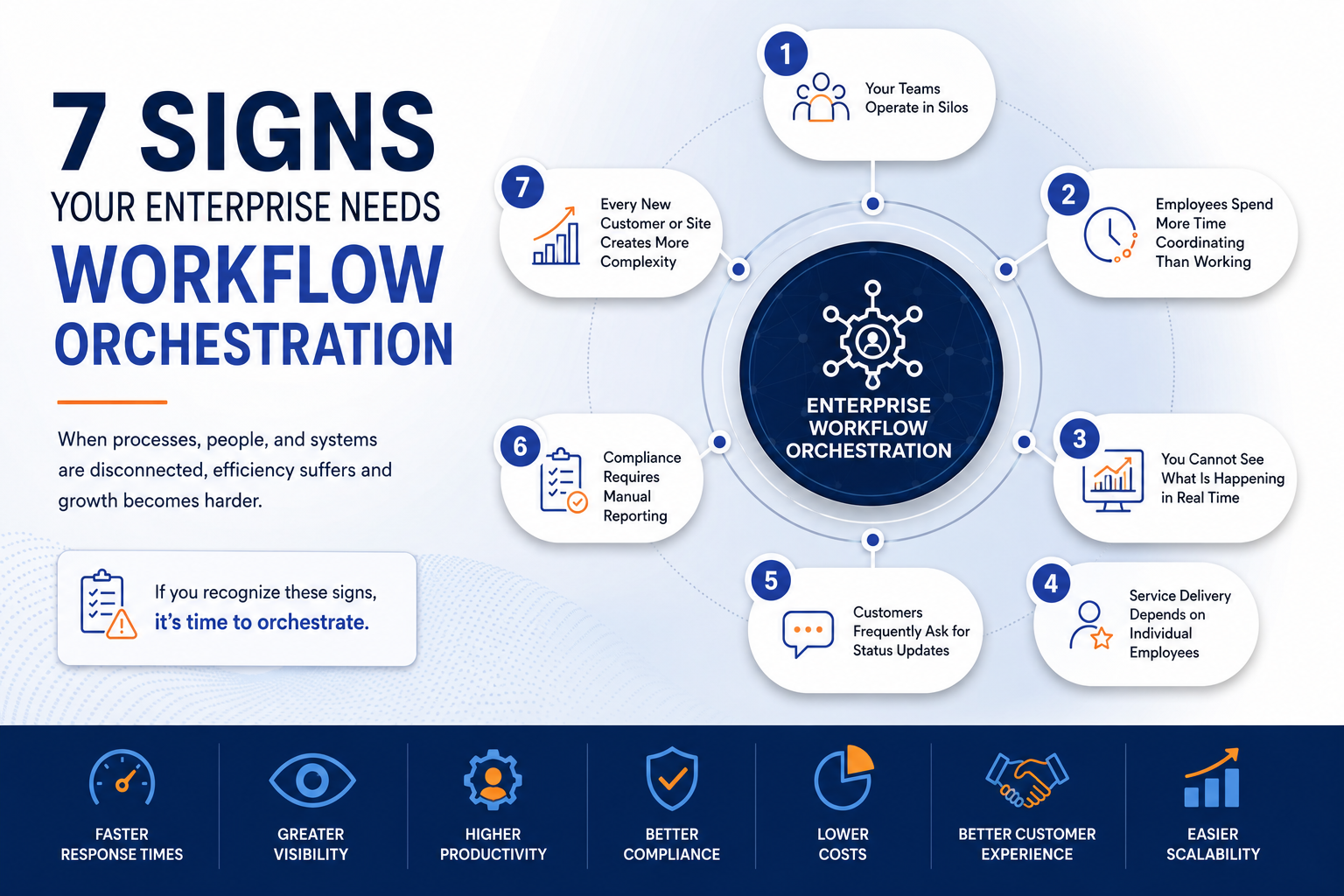
Signs your enterprise needs workflow orchestration often appear long before operations begin to fail. As organizations grow, disconnected systems, manual processes, siloed departments, and increasing operational complexity make service delivery harder to manage. Recognizing the signs your enterprise needs workflow orchestration early allows businesses to improve visibility, automate complex workflows, and scale efficiently.
Many organizations invest in CRMs, ERPs, HR systems, maintenance software, and field service applications, yet employees still rely on emails, spreadsheets, phone calls, and manual coordination. Enterprise workflow orchestration connects people, processes, systems, and operational events into one intelligent workflow.
Here are seven signs that your enterprise may have reached the point where workflow orchestration is no longer optional.
1. Your Teams Operate in Silos
Departments often adopt systems and processes that address their immediate needs. Customer service may use a CRM, finance may rely on an ERP, human resources may use an HR platform, and operations may manage work through a field service or maintenance application.
Each system may work well independently. The problem begins when information and tasks need to move between them.
For example, a customer request may need input from customer service, operations, scheduling, procurement, finance, and a field team. Without workflow orchestration, employees must manually transfer information between departments and systems.
Common signs of operational silos include:
- Teams maintaining separate spreadsheets for the same customer or job
- Employees repeatedly entering the same information into different systems
- Departments using different versions of operational data
- Tasks being delayed while one team waits for another
- Employees relying on email to move work between departments
- Limited visibility into what other teams are doing
Enterprise workflow orchestration creates a shared operational process. It ensures that each team receives the information and actions required at the correct stage of the workflow.
One of the earliest signs your enterprise needs workflow orchestration is when departments operate independently and employees manually move information between systems.
2. Employees Spend More Time Coordinating Work Than Completing It
Manual coordination is one of the clearest signs that an organization needs workflow orchestration.
Employees may spend significant time:
- Sending follow-up emails
- Calling employees for status updates
- Assigning work manually
- Updating spreadsheets
- Requesting approvals
- Copying information between systems
- Reminding colleagues about overdue actions
- Confirming whether a task has been completed
These activities do not directly create value for customers. They exist because the organization lacks a connected process for routing work, sharing information, and managing exceptions.
Workflow orchestration reduces this administrative effort by automatically creating tasks, applying business rules, assigning resources, triggering notifications, and escalating delays.
As a result, employees can spend more time completing work and less time coordinating it.
3. You Cannot See What Is Happening in Real Time
Operational leaders need accurate information to make timely decisions. However, many organizations cannot answer basic questions without contacting multiple people or reviewing several systems.
For example:
- How many service requests are currently open?
- Which jobs are at risk of missing an SLA?
- Where are field teams currently working?
- Which assets are unavailable?
- Which incidents require escalation?
- Which inspections remain incomplete?
- Where are operational bottlenecks occurring?
When information is fragmented, management reports often describe what happened yesterday or last week rather than what is happening now.
Enterprise workflow orchestration provides end-to-end visibility across the service delivery lifecycle. Managers can monitor tasks, resources, assets, deadlines, incidents, and outcomes from one operational environment.
This real-time visibility allows teams to address problems before they affect customers, compliance, or service performance.
4. Service Delivery Depends on Individual Employees
Experienced employees often become the informal connection between disconnected processes.
They know which person to contact, which spreadsheet contains the correct information, which approval is required, and what action should happen next. Their knowledge keeps operations moving, but it also creates risk.
When a critical employee is unavailable, changes roles, or leaves the organization, the process may slow down or fail entirely.
Warning signs include:
- Only one employee understands a critical process
- New employees require extensive informal training
- Procedures exist primarily in employees’ memories
- Managers must intervene whenever an exception occurs
- Work stops when a key employee is unavailable
- Different employees complete the same process differently
Workflow orchestration converts operational knowledge into configurable processes, business rules, checklists, approval paths, and escalation procedures.
This does not remove employee judgment. Instead, it gives employees a consistent structure for making decisions and completing work correctly.
5. Customers Frequently Ask for Status Updates
Customers expect timely and accurate information about their requests. When they repeatedly contact your organization for updates, it may indicate that your internal workflows lack visibility.
Typical questions include:
- Has my request been received?
- When will someone attend the site?
- Has the technician been assigned?
- Has the inspection been completed?
- Why has the issue not been resolved?
- What is the current status of the work?
Customer service teams may need to contact operations, dispatchers, technicians, contractors, or supervisors before responding. This increases response time and creates an inconsistent customer experience.
Enterprise workflow orchestration can automatically trigger customer notifications when important milestones occur. These may include request confirmation, scheduling, dispatch, arrival, completion, escalation, and closure.
Because information flows through one coordinated process, customer-facing teams can also access accurate status information without relying on manual updates.
6. Compliance and Reporting Depend on Manual Work
Compliance becomes difficult when operational evidence is stored across paper forms, spreadsheets, emails, photographs, and disconnected systems.
Employees may spend days preparing reports for customers, auditors, regulators, or management. Even then, information may be incomplete or inconsistent.
Common challenges include:
- Missing inspection records
- Incomplete checklists
- Unclear approval histories
- Limited evidence of work completion
- Manual SLA calculations
- Difficulty identifying who completed an action
- Inconsistent operating procedures
- Time-consuming audit preparation
Workflow orchestration embeds compliance requirements within the operational process. It can require employees to complete specific forms, capture evidence, follow approval paths, and record corrective actions before closing a task.
The platform can also maintain a digital audit trail showing what happened, when it happened, and who completed each action.
This improves compliance while reducing the administrative effort required to demonstrate it.
7. Every New Customer, Contract, or Site Adds More Complexity
Growth should create value, but it often creates operational strain.
Each new customer may introduce different service levels, reporting requirements, approval processes, operating hours, asset types, locations, and compliance obligations.
Organizations may respond by hiring more coordinators, supervisors, administrators, and support employees. However, adding staff without improving the underlying process only increases operating costs.
Signs that growth is creating unsustainable complexity include:
- Administrative headcount increasing as quickly as revenue
- Different customers requiring separate spreadsheets and processes
- Managers struggling to maintain consistent service standards
- New locations taking too long to become operational
- Service quality declining as work volume increases
- Teams creating more manual workarounds as the business grows
Enterprise workflow orchestration allows organizations to configure different rules, SLAs, workflows, and reporting requirements within one platform.
This enables the business to support additional customers, contracts, locations, and services without creating the same level of administrative complexity.
Perhaps the strongest of the signs your enterprise needs workflow orchestration is when every new customer, site, or contract creates significantly more operational complexity.
How to Respond When You See Signs Your Enterprise Needs Workflow Orchestration
Workflow orchestration acts as a coordination layer across enterprise operations. It connects the activities that take place between people, departments, software systems, assets, and field teams.
An orchestration platform can:
- Receive requests from multiple channels
- Create tasks, tickets, work orders, or incidents
- Apply business rules and contractual requirements
- Assign work based on skills, location, availability, and priority
- Exchange information with ERP, CRM, HR, finance, GIS, and asset systems
- Monitor deadlines and SLA performance
- Trigger approvals, notifications, and escalations
- Provide mobile access to field employees
- Capture forms, checklists, photos, videos, and signatures
- Maintain a complete operational audit trail
- Provide dashboards and performance reports
The objective is not simply to automate more tasks. It is to ensure that the complete operational process produces the required outcome.
Workflow Automation vs Workflow Orchestration
Workflow automation and workflow orchestration are closely related, but they operate at different levels.
Workflow automation is an important component of orchestration. However, orchestration coordinates multiple automated tasks and processes across the enterprise.
Benefits After Recognizing the Signs Your Enterprise Needs Workflow Orchestration
Organizations that adopt enterprise workflow orchestration can achieve several operational benefits.
Faster Response and Resolution Times
Automated routing, resource assignment, and escalations reduce delays between process stages.
Greater Operational Visibility
Managers gain real-time insight into work status, workforce activity, asset conditions, SLA performance, and operational exceptions.
Improved Workforce Productivity
Employees spend less time updating spreadsheets, sending follow-ups, and coordinating work manually.
Stronger Compliance
Standardized workflows, digital evidence, and audit trails help teams follow required procedures consistently.
Better Customer Experience
Faster service, proactive communication, and consistent execution improve customer confidence and satisfaction.
Lower Operational Costs
Better scheduling, reduced administration, and improved resource utilization help control service delivery costs.
Scalable Operations
Organizations can support more customers, locations, assets, and services without increasing complexity at the same rate.
How MIMS Supports Enterprise Workflow Orchestration
MIMS Enterprise Workflow Orchestration connects people, processes, assets, systems, and operational events through one unified platform.
Organizations use MIMS to coordinate:
- Service delivery operations
- Field workforce activities
- Maintenance management
- Security operations
- Incident response
- Inspections and compliance
- Asset management
- Contractor activities
- Customer service workflows
MIMS collects information from different sources, applies configurable business rules, manages complex workflows, and provides visibility across the service delivery lifecycle.
The platform can integrate with enterprise applications such as ERP, CRM, HR, GIS, finance, asset management, and customer systems. This allows organizations to retain existing technology investments while connecting the operational processes that move between them.
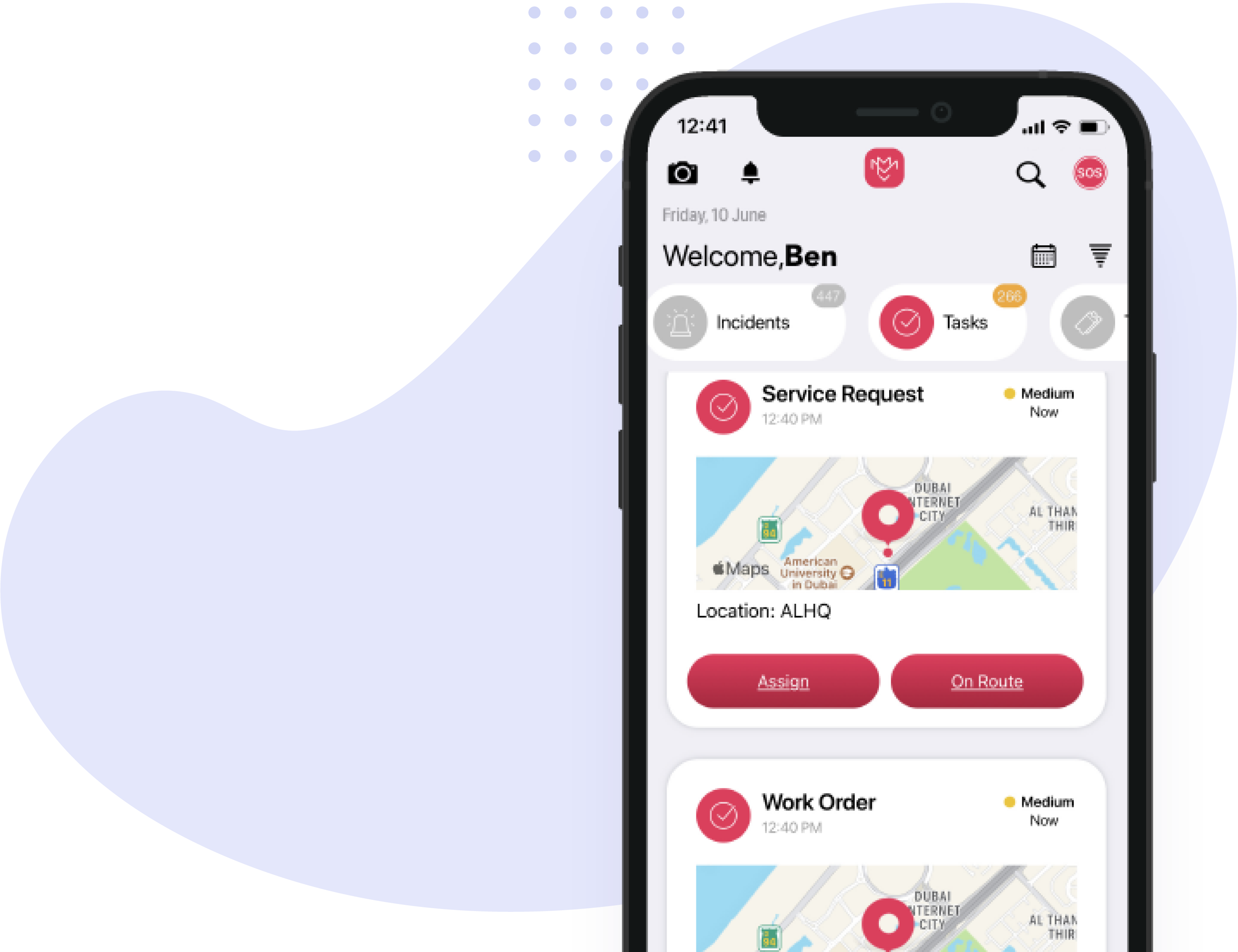
Mobile applications and wearable technology also connect field teams directly to orchestrated workflows. Employees can receive assignments, complete checklists, capture evidence, report incidents, and update task status in real time.
Is Your Enterprise Ready for Workflow Orchestration?
Your organization may be ready for enterprise workflow orchestration when disconnected systems and manual coordination begin limiting service quality, visibility, compliance, or growth.
The need becomes especially clear when:
- Teams rely heavily on spreadsheets and email
- Departments operate through disconnected processes
- Managers cannot see operations in real time
- Critical processes depend on individual employees
- Customers regularly request status updates
- Compliance reporting requires extensive manual effort
- Growth creates disproportionate operational complexity
Addressing these issues requires more than automating isolated tasks. It requires a coordinated operational framework that connects the entire service delivery process.
Build a More Connected Enterprise
Disconnected workflows may be manageable when an organization is small. However, they become increasingly expensive and risky as operations expand.
Enterprise workflow orchestration provides the structure required to connect teams, standardize execution, integrate systems, improve visibility, and scale service delivery more efficiently.
According to IBM’s guide to Business Process Management, organizations improve operational efficiency by standardizing and automating business processes across departments.
Learn more about Enterprise Workflow Orchestration with MIMS and discover how Arrow Labs helps organizations coordinate complex operational workflows.